 Nextcloud
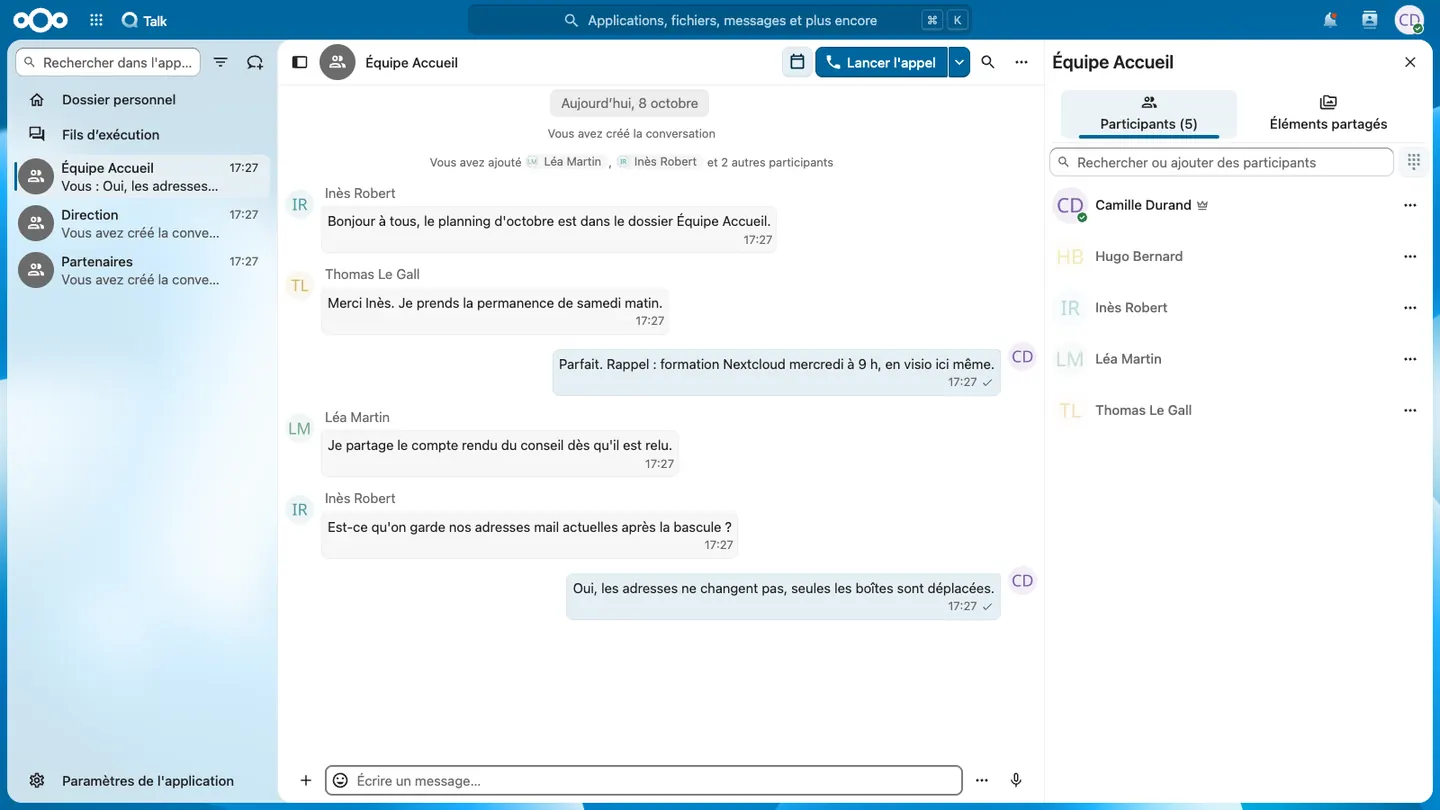
The course runs on your organisation's Nextcloud, with your real folders, or before the migration on a Nextcloud prepared with sample data.
Objectives
By the end of day 1, each participant can:
- organise, find and sync their files, and share a folder with a colleague or an outside person
- edit an Office document with others in the browser
- run a meeting in Talk and share a calendar
- track a project's tasks in Deck and collect answers with Forms
By the end of day 2, the referent can also:
- create, disable and reorganise accounts, groups and team folders
- apply the organisation's external sharing and security rules
- onboard a newcomer from start to finish, without going through the provider
- know Nextcloud's limits and pass an incident on to support
Who this course is for
An organisation leaving Microsoft 365 or Google Workspace
Users find in Nextcloud what they used to do with OneDrive, SharePoint and Teams. Day 1 fits just before or just after the switch.
A non-profit
Employees and volunteers take day 1, as two half-days by video call if the team is spread out. Two or three referents take day 2.
A local authority or public body
Day 2 makes the IT team or the secretariats autonomous for staff arrivals and departures.
Custom training
The two-day programme below is the starting point. Day 1 can be taken on its own, by all users. Day 2 is for two or three referents per organisation.
Organisation
The details to record in your training plan.
| Item | Detail |
|---|---|
| Duration | 1 day (7 hours) for users, 2 days (14 hours) for referents |
| Hours | 9:00 to 12:30 and 14:00 to 17:30, two 15-minute breaks included. Hours can be adjusted for in-house sessions |
| Format | Remote, or on your premises. Day 1 can be split into two half-days by video call |
| Group | 6 to 8 participants |
| Resources | Your Nextcloud or a Nextcloud prepared with sample data, course materials, the cheat sheet and the referent guide |
| Assessment | Hands-on exercises at each step. Day 1 ends with moving a real folder, day 2 with onboarding a newcomer from start to finish |
| Certificate | Certificate of completion for each participant |
Program
Day 1: Using Nextcloud every day
Morning
- Signing in, enabling two-factor authentication, installing the mobile apps
- Files: personal folders, team folders, favourites, tags, search, trash and versions
- Desktop sync client: synced folders, files on demand, resolving conflicts
- Sharing with a colleague, a group or an outside person, through a link protected by password and expiry date
Afternoon
- Nextcloud Office: opening and editing a .docx or .xlsx in the browser, co-editing, comments, PDF export
- Talk: team conversations, video calls, screen sharing, outside guests in a meeting
- Calendar and Contacts: shared calendar, invitations, sync with the phone
- Deck and Forms: tracking a project's tasks, creating a sign-up form and reading the answers
- Workshop: moving a real working folder from OneDrive or a file server, sharing it and editing it together
Day 2: Managing Nextcloud for your organisation
Morning
- Accounts and groups: creation, disabling when a colleague leaves, recovering the folders they shared
- Team folders: group permissions, read-only, quotas
- External shares: organisation rules, review of public links, default expiry
- Security: mandatory two-factor authentication, connected devices, app passwords
- Apps: enabling or removing an app, effects on users
Afternoon
- Talk: permanent rooms, guests, large meetings
- Collectives: building an internal wiki, with procedures and onboarding
- Limits to know: Nextcloud Mail is an email client, end-to-end encryption, complex Office files
- Help and escalation: the information support needs for an incident
- Workshop: onboarding a newcomer from start to finish, with their account, groups, folders and phone
Frequently asked questions
Can the course be delivered remotely?
Yes. It takes place on your premises or remotely by video call. Day 1 can be split into two half-days.
Do participants need to use Nextcloud already?
Not for day 1. Day 2, for referents, requires day 1 or existing Nextcloud use.
Does the course use our own Nextcloud?
Yes, if you wish, with your real folders. Otherwise, it uses a Nextcloud prepared with sample data.
Next steps
Migrating and running your Nextcloud: Nextcloud at Hebeko. For desktops: Zorin OS training. For shared spreadsheets: Grist training.