 Grist
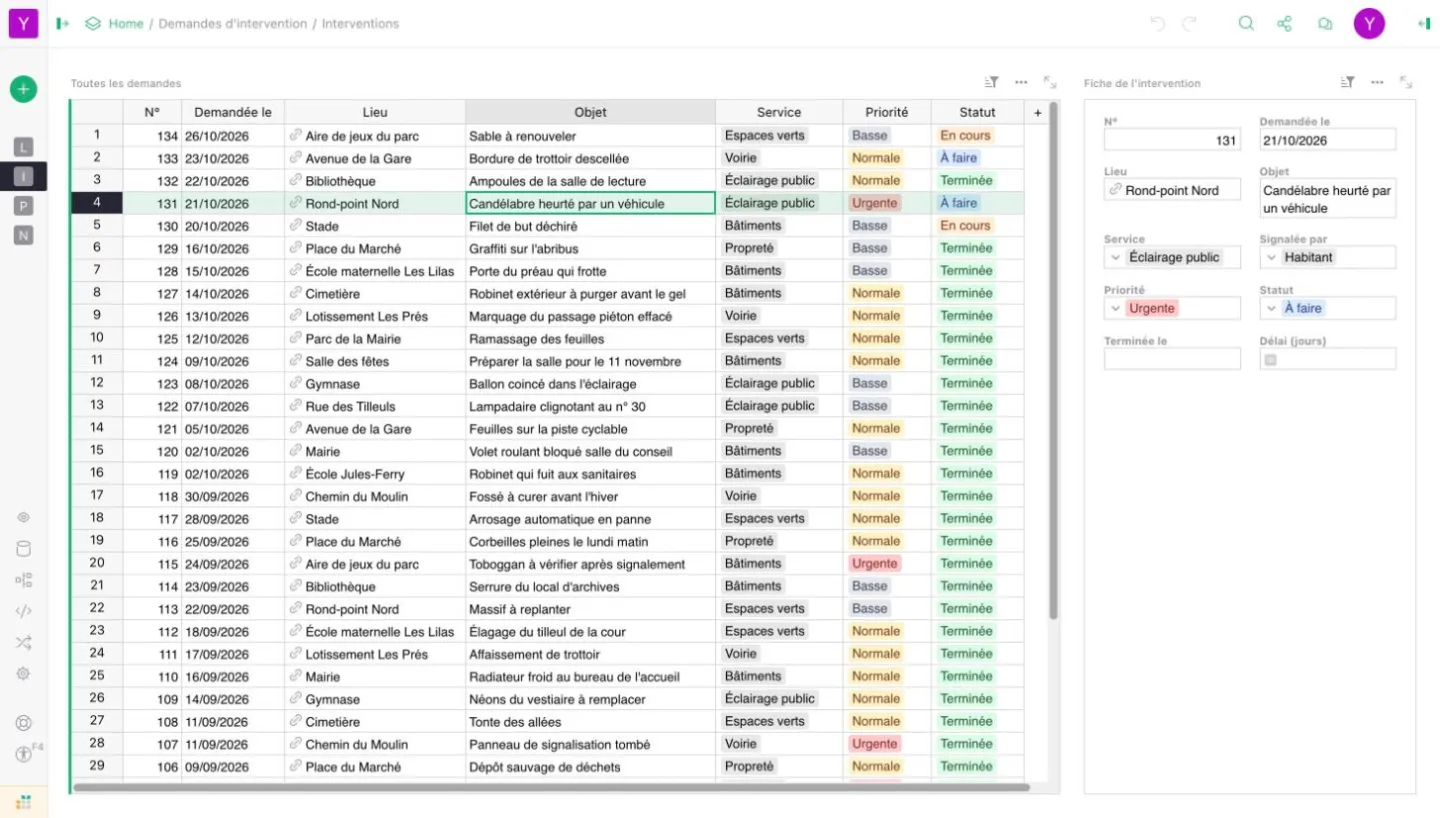
The course starts from your own spreadsheets, which each participant moves into Grist on day one.
Objectives
By the end of day 1, each participant can:
- import an Excel or CSV spreadsheet into Grist and pick the right type for each column
- link two tables, sort, filter and format data
- build a page with several linked views, a card and a chart
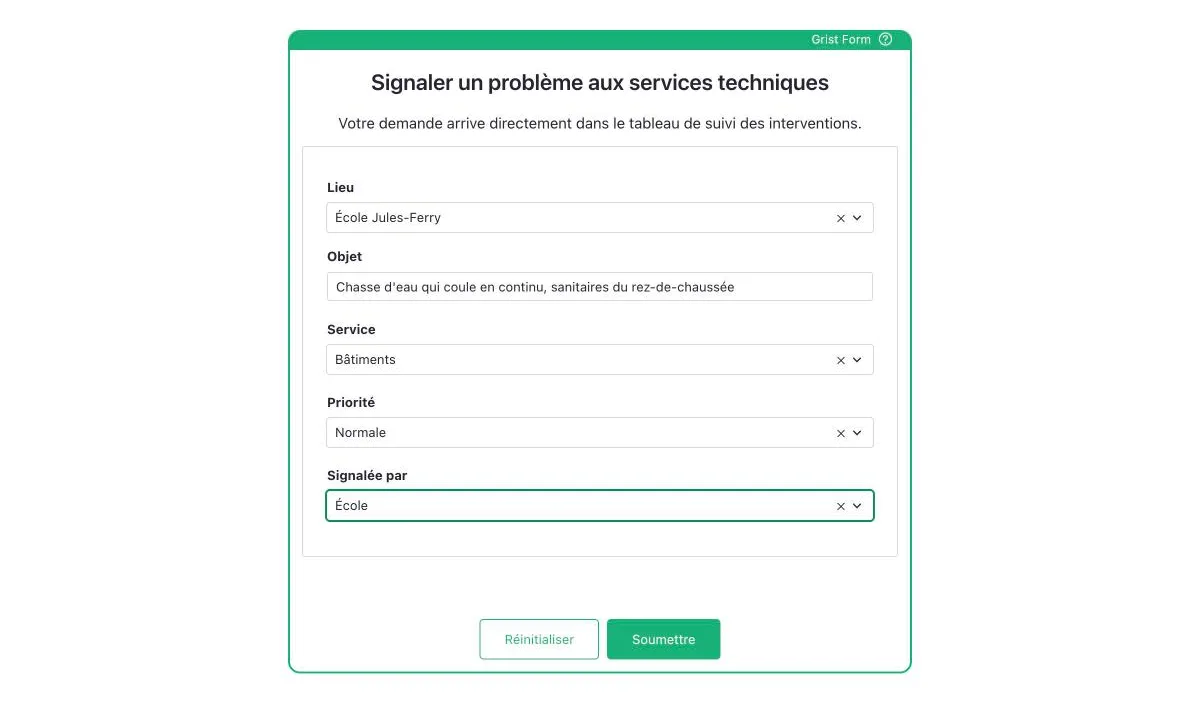
- collect answers with a Grist form and share a document with the right roles
By the end of day 2, the power user can also:
- design the data model of a team tool, without duplicates
- write formulas, calculated columns and summary tables
- control who sees and edits which rows and columns with access rules
- deliver a small tracking application to their team, with a form, views and permissions
Who this course is for
A French central government department
Grist is part of La Suite numérique. More than 15,000 civil servants use it on the government instance, which they sign in to with ProConnect. The course takes place on that instance, with your department's spreadsheets.
A local authority or public body
Grist replaces Excel files shared by email or on a file server: request tracking, equipment inventory, room booking, a team dashboard. It is installed on a server rented in your organisation's name, and the course runs on your own instance.
A non-profit or a company
Grist is free software, under the Apache 2.0 licence. It can be installed on your servers or used online from its publisher. The course starts from your member, volunteer or activity tracking files.
Custom training
The two-day programme below is the starting point. Day 1 can be taken on its own, by all users. Day 2 is for power users and focuses on the tool your team wants to build. A half-day introduction is also possible.
Organisation
The details to record in your training plan.
| Item | Detail |
|---|---|
| Duration | 1 day (7 hours) for users, 2 days (14 hours) for power users |
| Hours | 9:00 to 12:30 and 14:00 to 17:30, two 15-minute breaks included. Hours can be adjusted for in-house sessions |
| Format | Remote, or on your premises. Day 1 can be split into two half-days by video call |
| Group | 6 to 10 participants |
| Resources | Your Grist instance or a Grist prepared with sample data, course materials and sample documents |
| Assessment | Hands-on exercises at each step. Day 1 ends with converting a real spreadsheet, day 2 with building a tracking application |
| Certificate | Certificate of completion for each participant |
Program
Day 1: Organise and share your data
Morning
- Grist, between spreadsheet and database: documents, tables, columns and rows
- Importing an Excel or CSV file, the type of each column: text, number, date, choice, attachment
- Sorting, filters, search and conditional formatting
- Reference columns: linking two tables, for example staff and the equipment lent to them
Afternoon
- Pages and views: table, card, card list, chart
- Linked views: selecting a row to show its details in the next view
- Grist forms to collect answers straight into a table
- Sharing a document: owner, editor, viewer, and the change history
- Exporting to Excel or CSV
- Workshop: turning one of the team's shared spreadsheets into a Grist document
Day 2: Build a tool for your team
Morning
- Designing the data model: one table per tracked object, references rather than copies
- Formulas: Excel-like functions, then the Python basics that matter in Grist (conditions, dates, text)
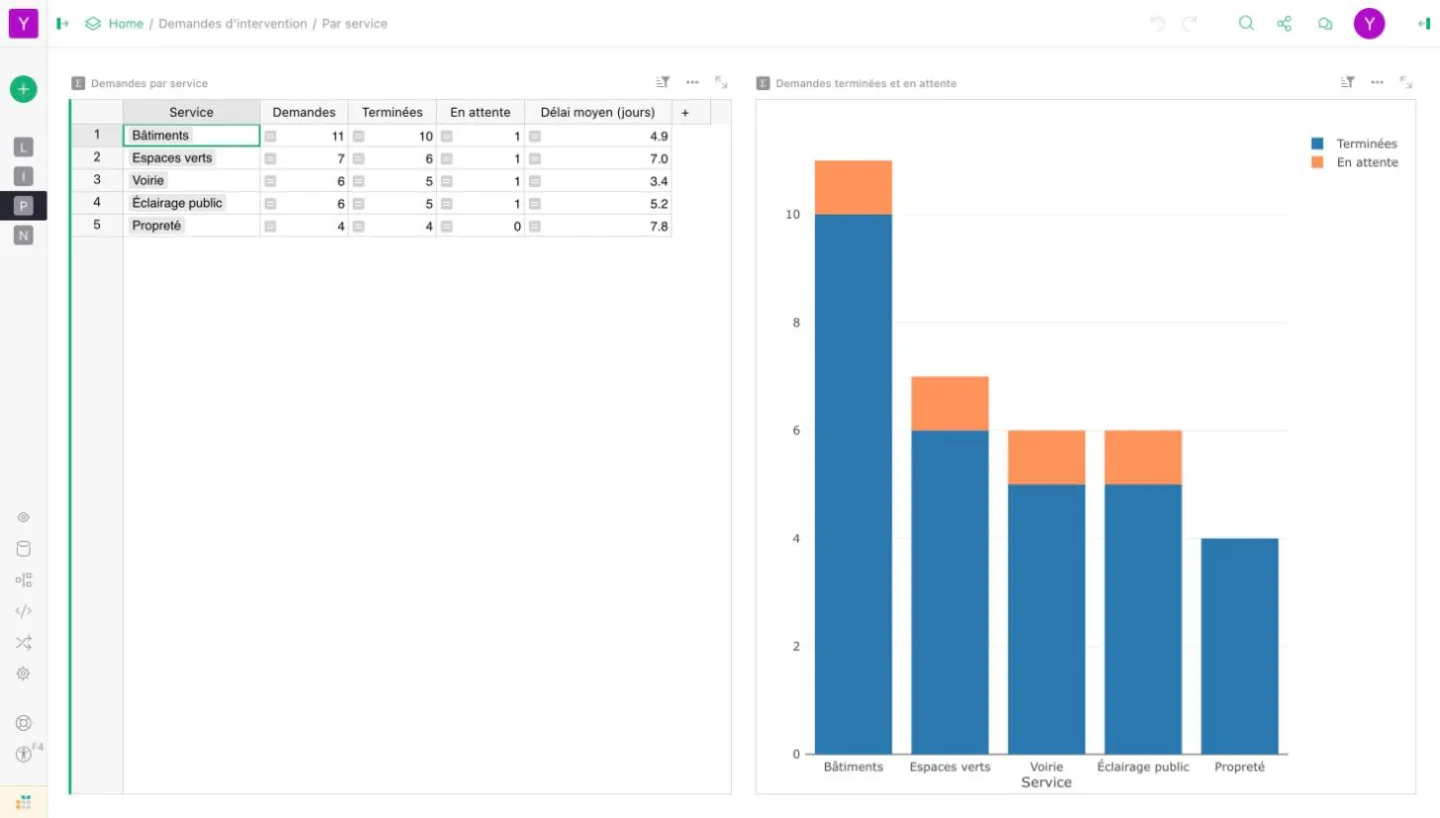
- Summary tables: totals per team, per month or per status
- Trigger formulas: creation date of a row, author of the last change
Afternoon
- Access rules: limiting the rows and columns each person can see or edit
- Calendar view, and a map of locations with a custom widget
- Document templates and working copies to test safely
- Time permitting: API and webhooks, to connect Grist to other tools
- Final workshop: a tracking application, for requests, inventory or planning, with a form, views and access rules
Frequently asked questions
Can the course be delivered remotely?
Yes. It takes place on your premises or remotely by video call. Day 1 can be split into two half-days.
Do I need to know programming for day 2?
No. Formulas start from familiar Excel functions. The few Python notions you need are explained during the course.
Does the course use our own Grist?
Yes, if you wish, with your real spreadsheets. French civil servants work on the La Suite numérique instance. Otherwise, the course uses a Grist prepared with sample data.
Next steps
For the other French government tools: La Suite numérique. For an organisation's files, video calls and calendars: Nextcloud training.